Save Video of Facebook
Saving a Facebook video can mean three things. Facebook's Save button only bookmarks the post. The Save video as trick saves the web page. FvidGo saves the MP4.
- No Ads
- 100% Free & Safe
- 1080p


How Video Save for Facebook Works

Step 1: Copy the Link to the Video
On your phone, tap the three dots above the post and pick Copy link. On a computer, just copy whatever is in the address bar while the video is open.
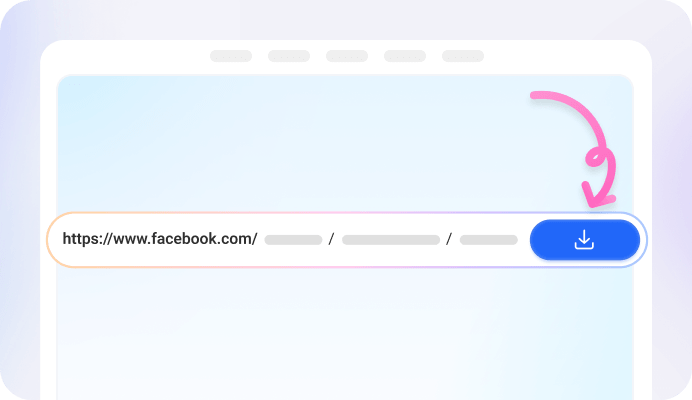
Step 2: Paste It into FvidGo
Drop the link in the box at the top of this page. The video comes back almost at once, with its quality list laid out underneath.

Step 3: Pick a Quality and Save the Video
4 qualities come up, 360p through 1080p, plus an MP3 if you only want the audio. Tap download to save the Facebook video. It takes a few seconds: on Android the file drops straight into your gallery, everywhere else into your downloads.
Get the Facebook Video Saver

Why Use FvidGo to Download and Save Facebook Videos

Save Video from Facebook in HD

Save Facebook Video as MP4 or MP3

Save FB Video to Gallery

Save Facebook Video Free

No Sign-Up, No Account

Security and Privacy

Save Facebook Video Offline

Keep It After the Post Is Gone
Facebook Save: 3 Things It Can Mean
Download Facebook Video
Save Video on Facebook
Save Video As
Which Facebook Videos You Can Save
Posts, Reels and Stories
Videos in Groups and on Pages
Your Own Videos and Other People's
Videos With No Download Option
FAQ: Saving Facebook Videos
Can you save any video from Facebook?
If you can watch it, you can usually save it. Feed posts, Reels, Stories, Watch videos and live replays all carry a link, and that link is what FvidGo works from. The one thing it will not reach is a video you cannot open yourself.
Why can't I save a video on Facebook?
Save is the button people reach for, but it only files the video under Saved on Facebook and downloads nothing. Facebook has no download button of its own, so copy the link and paste it into FvidGo.
I saved a video on Facebook. How do I download a saved Facebook video to my phone?
Saved does not hand over the file, so go back to the video. Open it again from your Saved list, copy its link the way you would any other video, and paste that into FvidGo. That paste is the step that actually produces a file.
How do I save a Facebook video to my iPhone?
There is no iPhone app to install, and none is needed. Paste the link on this page, choose a quality, and the download appears in the Files app under Downloads. Tap it, share it to Photos, and the video sits in your camera roll.
Can I save a Facebook video straight to my phone gallery?
On Android, yes. The video lands in your gallery by itself, next to your own photos, ready to post or send. Other devices do not work that way: iPhone, Windows and Mac all put the file in downloads, and you move it on from there.
Do I need to install anything to save a Facebook video?
Not on this page. FvidGo runs in Chrome, Safari, Edge and Firefox on any device, with nothing added to the browser. On Android an app is worth it once saving becomes routine, because it moves the whole job inside Facebook's share menu and skips the link entirely.