
Facebook Story Download with FvidGo
- No Ads
- 100% Free & Safe
- 1080p


Facebook Story saver for video, photo and audio: grab it before the Story vanishes after 24 hours.
Facebook Story Video Download: 3 Steps

Step 1: Copy the Story Link
Facebook Story link download starts here: open the Story you want to save, tap Share or the three-dot menu, and select Copy Link.
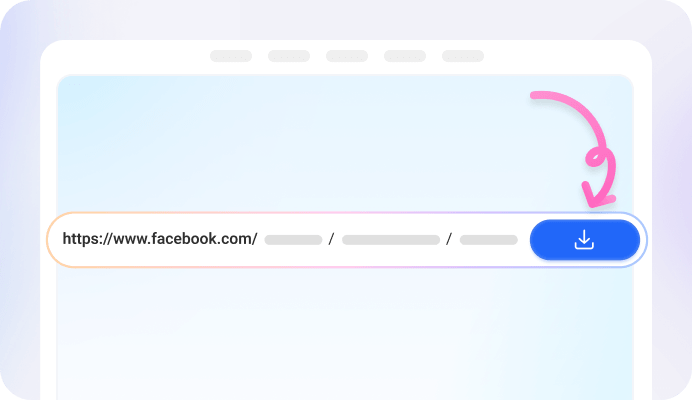
Step 2: Paste It into the FvidGo Input Box
Paste the copied Story link into the input box, then click the Download button to download Story Facebook link.

Step 3: Select the Resolution and Click Download
Once processed, choose your preferred resolution and format, then click Download to save the Story.
Add FvidGo to Home Screen

Understanding Facebook Stories
What is Facebook Story?
Why Download Story Facebook Content?
Save Facebook Story to Bypass the 24-Hour Limit
Offline Viewing
Content Repurposing
Facebook Story Saver: Supported Download Formats and Types

Download Facebook Story Videos

FB Story Image Download: Save Facebook Story Photos

Download Facebook Story Audio
Facebook Story Download Online: Advanced Private and Anonymous Features
Can Facebook Story Download Private Stories with FvidGo?
Can FvidGo Download Stories Anonymously?
Why Choose This Online Facebook Story Downloader?
| Features | FvidGo (Story Saver Facebook) | Story Download App |
|---|---|---|
| Installation Requirements | No installation needed — a Facebook Story downloader Chrome and Safari can open right in the browser | Must install a Facebook Story download app |
| Device Storage Usage | 0 MB (Takes up no phone memory) | Takes up 50MB–200MB+ of storage space |
| System Compatibility | Universal across all platforms (iOS, Android, PC, Mac) | Limited to specific operating systems (e.g., Android only) |
| Privacy & Permissions | No permissions required | Often requires access to photos and storage |
| Account Security | No login required, protecting your Facebook account | Private downloads may require login |
| Update Frequency | Cloud updates ensure the latest version | Requires manual updates |
| Ad Experience | No ads | Most contain ads |
Facebook Story Download: FAQ
Can I download a Facebook Story without the owner knowing?
Yes. FvidGo works without login and never interacts with your account, so the Story owner won't receive any notification. The whole process stays anonymous.
Can I still download a Story that is more than 24 hours old?
As long as the Story is still visible on Facebook, you can download it. Once it expires and disappears after 24 hours, its link is no longer available—so save the Story before its time runs out.
What formats can I download from a Facebook Story?
FvidGo supports video (MP4), photo (HD image), and audio (MP3) from Facebook Stories. Just choose the content type after pasting the link.
Can FvidGo download private Facebook Stories?
FvidGo can download Stories from public accounts. For private content, you should only save Stories you already have access to; FvidGo does not bypass Facebook's privacy settings.
Do downloaded Stories have a watermark?
No. FvidGo saves Story videos and photos exactly as they are, without adding any watermark, logo, or overlay.
Can I download a Facebook Story without any app?
Yes. FvidGo runs entirely in your browser, so you can download Facebook Stories without any app—no software to install and no storage used on your device.