
Facebook Video Download
- No Ads
- 100% Free & Safe
- 1080p


Save Facebook video with one paste: Reels, Stories and private posts too, with no watermark added.
Download Facebook Video: How to Use FvidGo

Step 1: Copy the Video Link
Tap the Share button or the three-dot menu and select Copy Link.
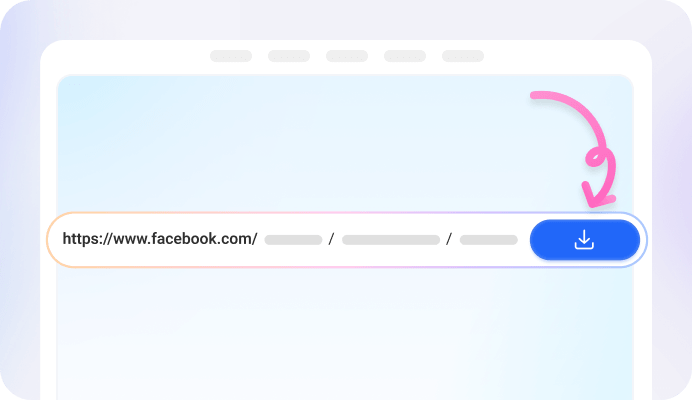
Step 2: Paste & Choose HD Quality
Then paste the link into a reliable tool to quickly download Facebook videos by link. Click Download to analyze the video, then choose your preferred quality such as HD or SD.

Step 3: Save to Gallery
Click Download again to start saving the video. On mobile, the file will appear in your gallery or photos app; on a computer, it will be saved in your browser’s Downloads folder.
Add FvidGo to Home Screen

Download Video Face: Why Choose FvidGo?

100% Free & Unlimited

No Ads

No App Installation Required

Save Facebook Video Directly to Gallery


Perfect Audio Sync

Always Updated & Reliable
Facebook Video Download Link: Save FB Videos from Any Source
Post & Feed Videos
Private Videos
Story & Status Videos
Reels
Download Facebook Live Video
Group Videos
Profile Videos
Facebook Gaming VODs
Comment Videos
Movies
Facebook Video Download Without Watermark
Video Quality: Facebook Video to MP4
1080p
HD
SD
360p
FAQ: How to Use FB Free Video Download
Will FvidGo track and record the videos I download?
No. FvidGo does not track, record, or store any videos you download. All processing happens instantly, and no personal data or download history is saved on our servers.
Can I download the audio files in the video separately?
Yes. FvidGo supports extracting audio from Facebook videos. After processing the link, you can choose to download the audio file separately and save it directly to your device.
Do I need to install an APP or Google extension to use FvidGo?
Facebook video download online is simple with FvidGo — no installation required, supporting major browsers such as Chrome, Safari, Edge, and Firefox on both mobile devices and computers.
I can't find where the downloaded video is, what should I do?
Check your browser’s Downloads section where recently downloaded files are stored. On mobile devices, you can also open the gallery or photos app and sort by recent files to find the video.
Is it safe to use FvidGo?
Yes. FvidGo is completely safe to use. The service does not require registration or login, and it does not collect or store personal information while you download videos.
Can I download multiple Facebook videos at once?
Yes—FvidGo supports batch downloading. It processes one link at a time, but when a single link contains several videos (such as a multi-video post or album), it saves all of them together in one go. For videos in separate posts, just paste the next link as soon as one finishes—each video is ready in just a few seconds, so several downloads back to back take only a minute or two.
The video won't download—what should I do?
First, make sure you copied the full video link (not the post text) and that the video is public or one you have access to. If it still fails, refresh the page and paste the link again, or try a different browser—most failures come from a private video or an incomplete link rather than the tool itself. For tougher cases (such as some private or livestream videos), the FvidGo app has more powerful download capabilities and can often save what the web version can't.
Can I download Facebook videos in 4K?
Yes—with the FvidGo app. The web version downloads in the highest quality the original upload offers, up to Full HD 1080p. For higher resolutions all the way up to 4K, use the FvidGo app, which supports Ultra HD downloads. Either way, FvidGo never upscales, so your download always matches the source.