
Facebook Story Viewer – Anonymous & Free
- No Ads
- 100% Free & Safe
- 1080p


Facebook Story viewer: watch or save public Stories without logging in. No trace in "Seen by".
How to Use Facebook Story Viewer Anonymous in 3 Steps

Step 1: Copy the story link.
Open the Facebook story you want to see, tap Share or the three-dot menu, and choose Copy Link.
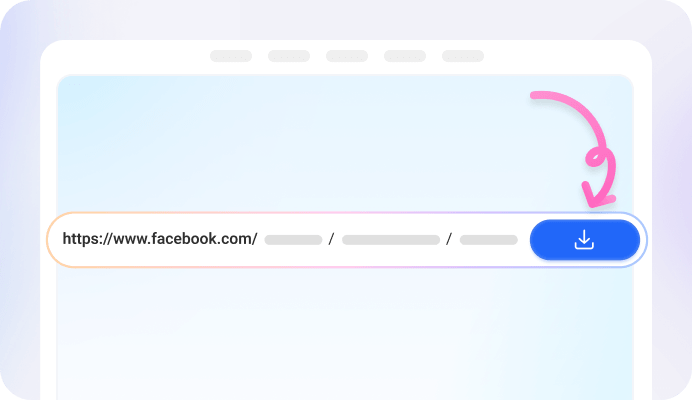
Step 2: Paste it into FvidGo.
Drop the link into the box at the top of FvidGo and click View.

Step 3: View or download anonymously.
The story loads in a few seconds. Watch it anonymously, or pick a quality to save the video, photo, or audio.
Add FvidGo to Home Screen

View Facebook Stories Anonymously
Why Choose FvidGo Facebook Story Viewer

Facebook Anonymous Viewer: No Trace

Facebook Stories Views: 100% Free, Unlimited

100% Free, Unlimited


HD Quality, No Watermark

View and Download

Works on Any Device, No App Needed

Clean and Ad-Free

Fast and Reliable

Private and Secure
Supported Story Types
Facebook Highlights
MyDay Stories
Public Stories
Profile Stories
Page Stories
Private / Friends-Only Stories
FAQ
Will people know if I view their Facebook story with FvidGo?
No. FvidGo is an anonymous story viewer. You won't show up in the poster's viewer list, and they won't get any notification.
Do I need a Facebook account to view stories?
No. You don't log in and you don't sign up. Just paste the link and watch, and your account and personal info are never involved.
Can I view someone's story if we're not friends?
Yes, for public stories—just paste the link and view anonymously, no friending needed. Friends-only stories require that you already have permission to see them.
Can I download the story? Is it free and safe?
Yes, you can download it. Videos, photos, and audio can all be saved for offline viewing. FvidGo is 100% free with no limits, keeps no download history, and collects no personal data, so it's safe to use.
Can I view private / friends-only stories?
Yes—as long as you have permission to view that story and can get its link. FvidGo doesn't bypass Facebook's privacy settings.
Can I view Facebook Highlights anonymously?
Yes. Paste the Highlights link into FvidGo and you can view them anonymously—the poster won't notice a thing.
Can I view Messenger stories?
Not right now. Messenger stories don't have a link you can copy, so they can't be viewed yet. If the same story is also posted on Facebook, you can copy the link there instead.
Can I see who viewed my own Facebook story?
Yes, but you do this in the Facebook app, not through FvidGo. Open your own story and you'll see the view count in the bottom corner—tap it to see the list of viewers.
What does "1 other" / "other viewers" mean on my story?
Facebook sometimes hides some viewers' names and shows them as "other viewers" instead. This usually depends on how often you interact and on privacy settings—it doesn't mean someone is secretly watching you. There's no way to reveal these hidden names.
Why aren't my story viewers showing?
A few common reasons: the story is only a few minutes old and no one has seen it yet; it's been more than 24 hours, so the list no longer shows; or your app needs an update or has a connection issue. Wait a bit or update the app and check again.