
Facebook Video Download 4K
- No Ads
- 100% Free & Safe
- 1080p


Yes, an FB 4K video download is possible. Paste a link and FvidGo lists every quality it has: 1080p Full HD in your browser, 1440p and 4K in the app.
How to Use an FB Video Downloader for 4K

Step 1: Copy the Facebook Video Link
Open the video and tap Share, then Copy Link. On a computer you can also copy the address straight from the browser bar.
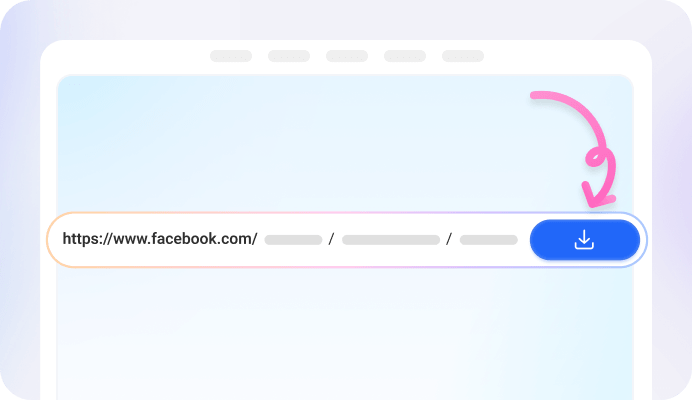
Step 2: Paste the Link into FvidGo
Drop it into the box at the top of this page. FvidGo reads the video and lists the qualities it was uploaded with, highest first.

Step 3: Choose 4K or the Highest Tier Available
Pick the top entry and start the download. In the browser that tier goes up to 1080p Full HD; for 1440p and 4K, open the same link in the FvidGo App.
Get the FB 4K Video Downloader

Which Facebook Videos Can You Download in 4K
Videos Uploaded in 4K
Check the Quality Menu
A Downloader Cannot Add Resolution
Facebook 4K Video File Size and Playback
Different Resolutions, Different Sizes
What 4K Gives You
What It Takes to Play 4K
FvidGo Keeps Facebook 4K at Original Quality
No Fake 4K
No Compression
4K Audio in Sync
Long 4K Video Downloads
Always Free
No Ads or Sign-Up
FAQ: Downloading Facebook Videos in 4K
Will a 4K download lose quality compared with the original?
No. FvidGo moves the file as Facebook stored it, bitrate included, which matters more at 4K than anywhere else: a re-encode is where a 4K video turns into a soft 4K video.
What is the difference between HD and 4K, and which should I pick?
Do 4K downloads come with a watermark?
FvidGo adds none. The one thing it cannot remove is a watermark the creator burned into the picture before uploading, because at that point it is part of the frame.
Can I download Facebook Reels and live videos in 4K?
Both work the same way as a post video. Whether 4K is on offer depends on how the creator uploaded it, and Reels are usually filmed on a phone, so 1080p is the common ceiling there.
How much data does a 4K download use?
Far more than 1080p. A few minutes of 4K can run into the hundreds of megabytes, so on a limited mobile plan it is worth waiting for Wi-Fi or taking 1080p instead.
How long does a 4K download take?
Reading the link takes seconds; the wait after that is the file moving. On a fast connection a short 4K clip is done in under a minute, and a long one takes proportionally longer.