FvidGo - Unlimited Facebook Downloader | Online
- No Ads
- 100% Free & Safe
- 1080p


FB downloader for videos, Reels, Stories, photos and audio: one page, no login, no app to install.
How to Use the FvidGo FB Downloader in 3 Easy Steps

Step 1: Copy Facebook Content Link
Tap the Share button or the three-dot menu on the Facebook video, and select Copy Link.
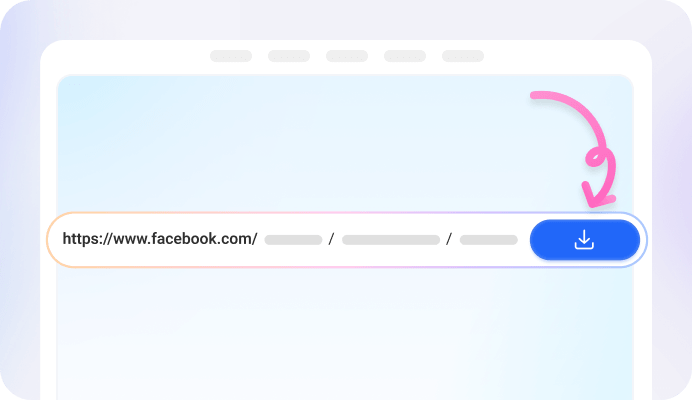
Step 2: Paste URL into FvidGo
Paste the copied link into the FvidGo input box, then click Download to process the video.

Step 3: Click Download
Select your desired quality and format (MP4 video or MP3 audio), and click Download to save the file.
What Is FvidGo — Free Online Facebook Video Downloader
Why FvidGo is the Best Free Facebook Video Downloader

Unlimited Downloads

No Login Required

Clean & Ad-Free Interface

Easy to Use (Copy & Paste)

High Success Rate

Lightning-Fast Speed

100% Private & Secure


Multiple Formats Supported


SD, HD & 1080p

Download Without Watermark

No App Needed
Add FvidGo to Home Screen

What Can You Download with FvidGo - FBdownloader?

Videos

Reels

Stories

Private Videos

Photos
Supported on All Devices & Platforms

PC & Mac

FB Downloader for iPhone & Android

All Browsers
FAQ: Facebook Downloader Online
Are download records saved?
No. FvidGo does not store your download history or keep records of the files you download. All processing happens temporarily, ensuring your privacy and personal data remain fully protected.
Is audio-only downloading supported?
Yes. FvidGo allows users to download audio separately from Facebook videos. Simply choose the MP3 download option when available to save only the audio track.
Do downloaded videos include sound?
Yes. If the original Facebook video contains sound, the downloaded file will include the same audio. The downloaded content matches the original video exactly.
Do I need to install an app or software?
No installation is required. FvidGo works entirely online, allowing you to download Facebook videos directly from the webpage using your browser.
Do I need to log in to my Facebook account?
No. FvidGo does not require Facebook login. You can download videos simply by pasting the content link without sharing any account information.
Is batch downloading supported?
Batch downloading is not supported at the moment because it involves complex technical requirements. However, you can still download multiple videos individually very quickly.
Is it safe and legal to download videos from Facebook?
FvidGo is safe to use — we don't store your files or download history, and the entire process happens temporarily in your browser. You should only download content you own or public videos you have permission to save.