Facebook Video Download Link
A Facebook video link is all FvidGo needs. This page shows where to find one on a phone and on a computer, which addresses actually work, and what to do when a Story gives you none.
- No Ads
- 100% Free & Safe
- 1080p


Download Facebook Video from Link: 3 Steps

Step 1: Copy Link
Open the video first. On a phone the Share button has Copy link under it; on a computer the address bar already holds it. Either one is the Facebook video link this page needs.
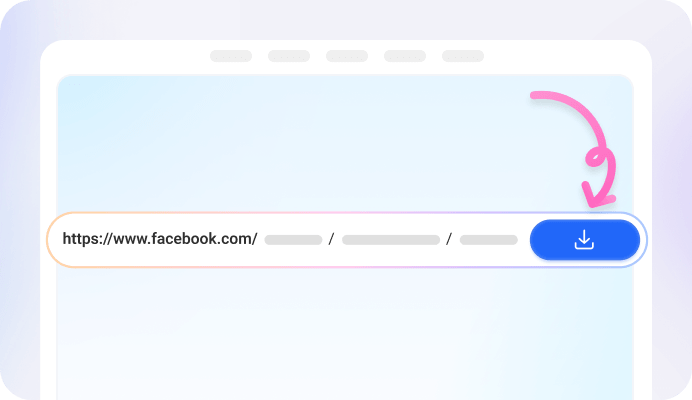
Step 2: Paste the Link
Whatever is on the clipboard goes straight in. There is no need to trim the tracking characters off the end first. A second later the video is on screen with its quality rows under it.

Step 3: Choose a Quality and Download
1080p, HD, SD and 360p sit in one list; pick a row and the download starts. On Android the file lands in your gallery, and on a computer or an iPhone it goes wherever the browser puts downloads.
Get an FB Video Downloader for Any Link

Why Choose FvidGo to Download Facebook Videos Through a Link

Paste Any Facebook Video Link Directly

Facebook Video Download Link Free of Charge

No Login Anywhere

Facebook Link to Video Download in Seconds

MP4 or MP3, One Paste

HD From the Same Link

Any Browser, No Install
Where to Find the Facebook Link to Download a Video
On a Phone: Share, Then Copy Link
On a Computer: Copy the Address Bar
Link or URL: the Same Thing
Which Facebook Links Actually Work
A Video Link, Not a Channel Link
Links Copied From the Share Menu
The Long String After the Link
Videos With No Link to Copy
Stories in the Phone App
The Same Story on a Computer
Open It Inside the FvidGo App
FAQ: Facebook Video Download Link
Is there a way to copy a video from Facebook?
What Facebook lets you copy is the link, not the file. Copy link puts an address on your clipboard; the video itself stays on Facebook until something turns that address into a file. Pasting it here is what does that.
Why can't I download a video from Facebook?
Three things account for most of it: the address copied was a channel or a hashtag page rather than the video, the content needs an account that can see it, or there was no Copy link in the menu to begin with. The sections above cover each one.
Is the link I copied the same as the download link?
Can I download a Facebook video without copying a link?
On Android, yes. Tap Share inside Facebook, open More options and pick FvidGo App, and the address is passed over without touching the clipboard. The App also carries its own browser, which is the route for a Story that offers no link at all.
What happens if I paste the wrong link?
Nothing breaks. The page tells you it could not read that address and offers to take another one. Before trying again, check that the part after facebook.com contains /videos/ or /reel/ rather than only /watch/ and a single run of digits.
Can I copy a Facebook video to send to a friend?
Copying the link gives you something to send, but what your friend receives is an address that still needs Facebook to open. Download the file first and you send the video itself, which plays whether or not they have an account.