
Facebook Video Download Without Watermark
- No Ads
- 100% Free & Safe
- 1080p


Paste a Facebook link and FvidGo saves the video with nothing added to the picture. Free, online, HD up to 1080p, MP4, no sign-up, no watermark.
How to Download Facebook Video Without Watermark

Step 1: Copy the Facebook Video Link
Open the video on Facebook, tap Share, then Copy Link. Check the picture first: if a watermark already shows while it plays, it is part of the video and will come down with it.
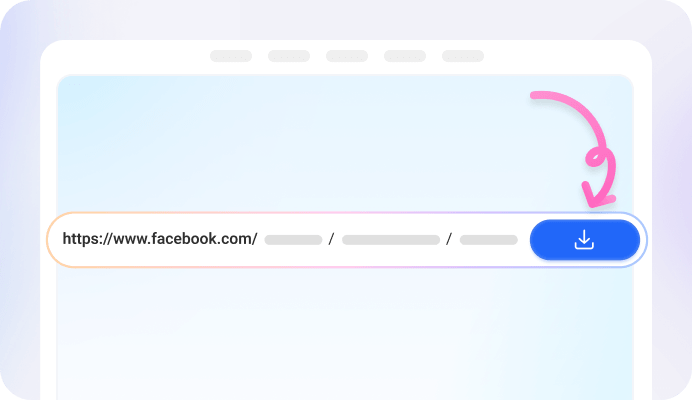
Step 2: Paste the Link into FvidGo
Paste it into the field above. FvidGo opens the link and shows you which qualities that video was posted with.

Step 3: Download the Video Without a Watermark
Choose a quality and start the download. The video you get has no FvidGo watermark on it, because nothing is added to the picture at any point.
Why Download Facebook Videos With FvidGo

1080p & No Watermark


Sound Stays in Sync

A Clean MP4, Ready to Edit

Free With No Download Limit

No Sign-Up and No Facebook Login

No Ads Before the Download
Why Facebook Videos Have Watermarks
Facebook Does Not Add a Watermark
The Creator's Own Watermark
A Watermark From Another Platform
Get FvidGo on Your Device

How FvidGo Handles Watermarks
FvidGo Puts No Watermark on Your File
The Video Downloads As It Is
FvidGo Does Not Remove Watermarks
For Creators: Facebook's Rules on Watermarks
Facebook Asks You Not to Post Another App's Logo
Your Own Logo Does Not Count as an Edit
Reposted Videos Reach Fewer People
FAQ: Facebook Video Download Without Watermark
Will the downloaded video keep its original quality?
Yes. Quality drops when a file is re-encoded, and re-encoding is what has to happen when something is drawn onto the picture. FvidGo does not touch the picture, so there is no re-encode and nothing is lost. A 1080p upload saves as 1080p.
Is it free to download Facebook videos without a watermark?
Yes. Without watermark, Facebook video download on this page is free at every quality. There is no paid version of FvidGo at all, so nothing is locked, and the quality list you see is the same one everybody else sees.
Is there a Facebook video downloader app without a watermark?
Yes. The FvidGo App for Android is a Facebook video download without watermark APK, and it adds nothing to your files either. You only need it for what a browser cannot reach: 1440p and 4K, and some private links. For everything else this page is enough.
Do I need to install anything to download without a watermark?
No. This page works in Chrome, Safari, Edge and Firefox with nothing to install. The file goes wherever your browser puts downloads, which on most phones is the Downloads folder, and from there you can move it into your gallery.
Can FvidGo remove a watermark that is already in the video?
No. You get a Facebook video download without mark added by us, but one already in the picture stays. By then the mark is made of the same pixels as everything else in the frame, with no separate layer to switch off, so taking it out would mean repainting the video.
Does Facebook add a watermark to videos?
No. The expectation usually comes from TikTok, where saved clips are marked, and it gets carried over to every other app. Facebook does not work that way: a Facebook file has whatever the creator put in it and nothing more.