Facebook Video Downloader for Chrome
The FvidGo Facebook video downloader for Chrome turns a single copied link into a finished MP4 in Full HD, from an ordinary video, a Reel, a Story or a private post. Add the Chrome extension if you download often, or simply open this page on desktop, Android, iPhone or Chromebook.
- No Ads
- 100% Free & Safe
- 1080p


3 Steps to Download Facebook Video in Chrome

Step 1: Copy the Link
On the Facebook video you want, tap Share and choose Copy Link. It is the same button on a phone and on a computer, so there is only one route to remember.
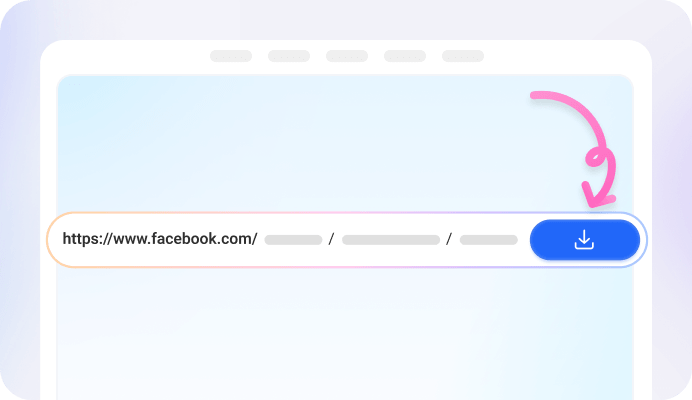
Step 2: Paste the Link
Open FvidGo in Chrome and put the link in the box on this page. It runs online and free, with no sign-up, and in a second or two it lays out the versions Facebook has for that video.

Step 3: Pick a Quality and Download
Click the quality you want and press Download. The Facebook video arrives as a plain MP4 that plays right away, and Chrome neatly files it in with your other downloads.
Why Choose FvidGo - Facebook Video Downloader for Chrome?

All Video Types

All Devices

Free, No Limits

MP4 and MP3

HD and Full HD

Facebook Ad Library Videos

No Watermark
Facebook Video Download Extension for Chrome
With the extension on, the button is already sitting there when you scroll past a Facebook video worth keeping: one click starts the download, no link to copy, no tab to switch. It goes as far as the web version, with the same quality rows, the same formats, Stories and private posts included.
It comes from the Chrome Web Store. Click Add to Chrome, confirm the usual Google permission prompt, and the FvidGo icon appears in your toolbar.
Extensions are a desktop-only part of Chrome, so the Android version has nowhere to put one. That is how Chrome is built, not a limit in FvidGo: on a phone the site itself does the whole job, straight from the mobile browser.
Install the Facebook Video Downloader Chrome App

FAQ: Facebook Video Downloader for Chrome
Do I need a Chrome extension to download Facebook videos?
No. Both routes download the same Facebook videos, so this is about habit, not capability. Save clips most days and the extension spares you the copy-and-paste; save one a month and this page is enough. On a borrowed or locked-down work machine, the page is the one that travels with you.
Can I download Facebook videos on a Chromebook?
Yes, and nothing about it is special: load fvidgo.com in Chrome, paste the link, pick a quality. Because ChromeOS runs everything through the browser anyway, a page you visit is the native way to do this here. The file lands in your Chromebook's Downloads folder.
Why is a private Facebook video harder to download in Chrome?
A private post is only served to accounts allowed to see it. FvidGo handles those links in Chrome anyway, with no setup on your side. The FvidGo App does better still: its built-in browser carries your Facebook session, so its success rate on private posts is higher.
Does the Facebook video downloader work in Chrome on Android?
Yes. Open this page in Chrome on your Android phone and the three steps run exactly as they do on a desktop. The same address covers an iPhone, an iPad or a tablet too, in whichever browser is already there, and none of them needs anything installed.
Is the Facebook video downloader for Chrome free?
Yes, 100% free. That includes the top 1080p Full HD row and the Chrome extension, both at no cost. There is no card to enter, no account to make and no daily limit.