Private Facebook Video Downloader
FvidGo is a private video downloader for Facebook that saves any video you can watch while logged in to your own account. Paste the link to download the Facebook private video online as an HD MP4 without watermark. No software installation is required.
- No Ads
- 100% Free & Safe
- 1080p


How to Use the Private Facebook Video Downloader

Step 1: Copy the Video Link
Log in to Facebook and open the private video you have permission to watch. On your phone, tap the Share icon and choose Copy Link. On a computer, copy the link from the address bar.
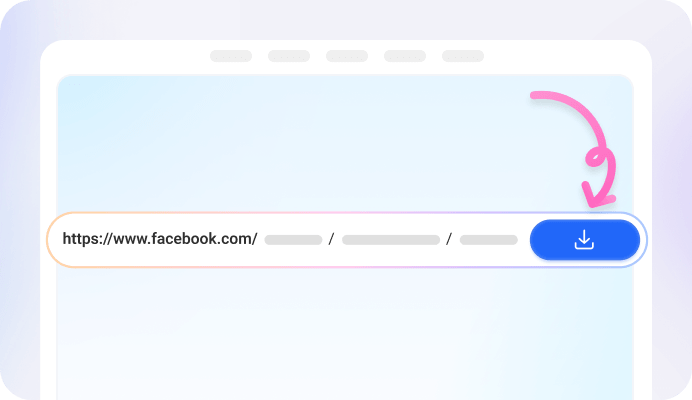
Step 2: Paste the Link
Paste that link into the download box at the top of this page. FvidGo reads the link online, with no software to install, and lists the qualities available for that private video.

Step 3: Save the Private Video
Pick a quality from the list, then click Download. The private Facebook video is saved as an MP4 file. On a phone it goes to your Gallery, and on a computer to the Downloads folder.
Install the Private Facebook Video Downloader App

Supported Types of Private Facebook Videos
Facebook Private Reels Download
Facebook Private Group Video Download
Facebook Private Account Video Download
Facebook Private Video Download without Watermark
Key Features of the Private Video Downloader for Facebook


Works on Mobile and Desktop

HD and Full HD

Online in Chrome

MP4 Video Files

Free, No Daily Limits
Facebook Private Video Downloading FAQs
Can I download private Facebook videos without a watermark?
Yes. FvidGo adds no watermark, logo, or branding to the file. The private video you save comes out clean, so you can edit or repost it right away.
Is there a Facebook private video download app or APK?
Yes. The FvidGo App is available for Android and installs as an APK. Sign in to Facebook inside the app, and private videos download from its built-in browser. On iPhone there is no app, so open FvidGo in the browser and choose Add to Home Screen.
How do I download private Facebook videos on mobile?
Open FvidGo in your phone's browser, paste the private video link, and tap Download. Android: The MP4 is saved to your Gallery. iPhone: Open the file in the Files app, then tap Share and Save Video to add it to your Camera Roll.
Do I need an extension to download a private Facebook video in Chrome?
No. FvidGo works in Chrome without any extension. Open it in any Chrome tab, paste the link, and save the MP4. The steps are the same in Safari, Edge, and Firefox.
Can a private Facebook video downloader save videos in HD?
Yes. FvidGo saves private videos in 720p HD or 1080p Full HD. Paste the link and select one of these qualities before downloading. You only see the qualities the original upload has.