SaveFrom Facebook Downloader
SaveFrom is a Facebook downloader. Its paste box saves Facebook reels, stories and post videos as MP4, the desktop extension SaveFrom Helper does it without copying a link, and there is an Android app as well.
- No Ads
- 100% Free & Safe
- 1080p


How to Use the SaveFrom Facebook Downloader

Step 1: Copy the Facebook Video URL
Open the Facebook video and copy the URL from the browser address bar. That address is what the SaveFrom Facebook downloader works from, and the shortened facebook.com/share/ links are read the same way.
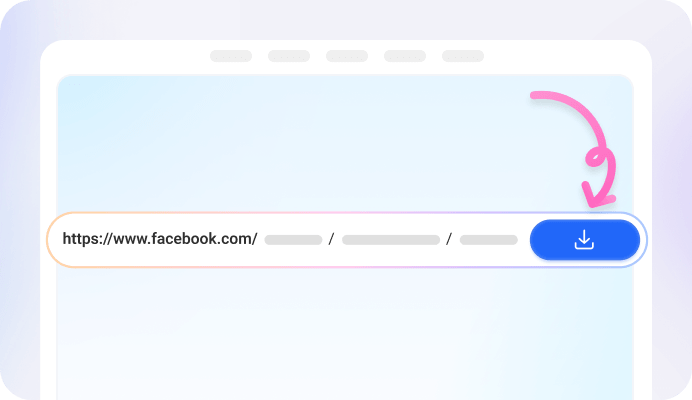
Step 2: Paste the Link on the SaveFrom Page
Paste the link into the box at the top of the page. If the download does not start on its own, press the download button beside the box.

Step 3: Choose a Quality and Download
Pick one of the quality options listed for that video and start the download. The file comes back as an MP4 and goes to the Download folder the browser uses, unless that setting was changed.
On a Phone
SaveFrom Helper is built for computers. On a phone the routes are the site itself in a mobile browser, or the SaveFrom Android app, and both of them start from a link that has already been copied.
What Is the SaveFrom Facebook Saver
SaveFrom, which plenty of people type as savefrom or search for as save from Facebook, has been running since 2008 and serves several regional domains depending on where it is opened from. The Facebook page is one address with a paste box on it: a link goes in, an MP4 comes back, and on the website route no account is created and nothing is installed.
Alongside the website there are two other routes. SaveFrom Helper is a browser extension for computers: once it is installed, a download button appears beside the Facebook video already open on screen, so nothing has to be copied or opened in a second tab. The other is an Android app, which takes a pasted link and keeps the saved videos together for offline viewing.
SaveFrom Facebook Downloader Key Features

Facebook Video Downloader

Facebook Reels Downloader

Facebook Story Downloader

Facebook Live Video Downloader

Private Facebook Video Downloader

SaveFrom Helper Extension

SaveFrom Android App
SaveFrom FB Saver Advantages

SD to 4K

MP4 Files

Free With No Account

Nothing Kept on the Server

Chrome, Firefox, Safari and Opera

Share Links Accepted
FAQ: SaveFrom Facebook Downloader Online
How do I download a Facebook video with SaveFrom?
Copy the video URL from the browser address bar, paste it into the box on the SaveFrom Facebook downloader page, and press download if it does not begin by itself. Then pick one of the quality options listed for that video.
Where does the downloaded file go?
It goes to the Download folder the browser uses by default. If that location was changed in the browser settings, the file follows the new setting instead.
Does the SaveFrom extension work on a phone?
No. SaveFrom Helper is built for computers. On a phone the two routes are the SaveFrom site opened in a mobile browser, or the SaveFrom Android app, and both of those start from a link you have already copied.
Can SaveFrom download private Facebook videos?
Private content goes through the SaveFrom Helper extension rather than the paste box. The extension works on a page already open in a browser that is signed in, so the video's privacy settings still apply and the reach is whatever that account can already see.
Can SaveFrom download a Facebook live video?
Once the broadcast has ended and the recording is stored on Facebook, yes. While the stream is still running there is no finished file to fetch, so the download is of the replay.
Which quality options does SaveFrom offer?
The range is SD up to 4K, taken from the quality the video was uploaded at. A clip that was never posted above 720p will not show a 4K row, so the list on the result card reflects that upload rather than a fixed set.