FBDown Facebook Downloader
FBDown is a Facebook video downloader. Hand it the address of a post and it hands back the file, whether that post holds a video, a Reel, a Story or a finished live broadcast. Normal and HD are both free, and private videos take a separate route.
- No Ads
- 100% Free & Safe
- 1080p


How to Use the FBDown Facebook Downloader

Step 1: Copy the Video Link
Open the post on Facebook, press Share under the video and choose Copy Link. That path is identical on a phone and on a computer, so there is nothing extra to remember.
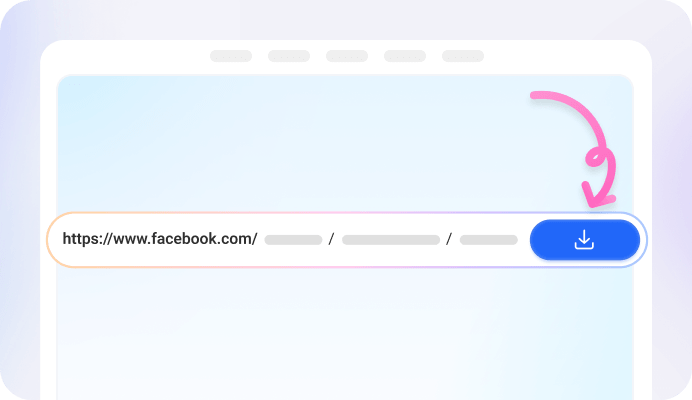
Step 2: Paste the Link on FBDown
Drop the link in the box that sits at the top of the FBDown page, then press Download. A full post address, a facebook.com/share/ short link, an fb.watch link or a mobile m.facebook.com address all go straight in, with no need to expand anything first.

Step 3: Save the Video
The result page lists normal quality and, when the upload carries it, HD. Pick one and the file lands in the Downloads folder on a computer or an Android phone, or in Files on an iPhone.
What Is the FBDown Facebook Saver
FBDown is a web page with a paste box on it. The box takes an address from Facebook and hands back a file: a Story, a Reel, an ordinary post video, a broadcast that has already finished, or a private video. Using it is free, with no subscription and no charge that turns up later.
There are two ways in. The page itself needs nothing installed, which suits anyone who saves a clip now and then. The other way is a Chrome extension, which is worth it once downloading becomes a habit.
FBDown Facebook Downloader Key Features

Facebook Video Downloader

Facebook Reels Downloader

Facebook Story Downloader

Facebook Private Video Downloader

Facebook Live Video Downloader
FBDown FB Saver Advantages

Completely Free


Android, iPhone and Desktop

One Click With the Chrome Extension

Normal and HD Quality

No App Installation

No Download History
FAQ
How do I download a Facebook video with FBDown?
Three steps: copy the video address on Facebook, paste it on the FBDown page, and choose normal quality or HD when the rows come up. No sign-up step and no software to install first.
Does FBDown have an app?
The site links to no app and never mentions one. Two routes exist instead: open the page in any browser and paste a link, or add the Chrome extension if downloading is something you do often.
Is FBDown safe to use?
What the site states about itself: videos are not stored and no copies are kept, since every file sits on Facebook's servers; download histories are not tracked; the footer says the service has no connection to Facebook or Meta; and the extension pages put the number of antivirus checks run on each file at over 21.
Can FBDown download private Facebook videos?
Yes, with two conditions. Facebook has to be signed in inside the same browser, and the work happens on a dedicated private downloader page instead of the front-page box. FBDown points to the extension as the quicker way.
Is FBDown free?
Yes. Nothing is charged at any point, and the wording on the site is completely free to use, with no subscriptions and no unexpected charges.
Can FBDown convert a Facebook video to MP3?
No. There is no MP3 or audio-extraction feature anywhere on the site. The Video with No Audio link on a result page is a different thing: it is there for clips whose copyrighted music strips the sound out, and choosing it returns a version that plays with audio.