
Easy Facebook Private Video Download
- No Ads
- 100% Free & Safe
- 1080p


Private Facebook video downloader: log in, copy the link, and FvidGo pulls the file to your device.
How to Download Facebook Private Video Easily

Step 1: Copy the Private Video Link
Log into Facebook and copy the URL of the private video.
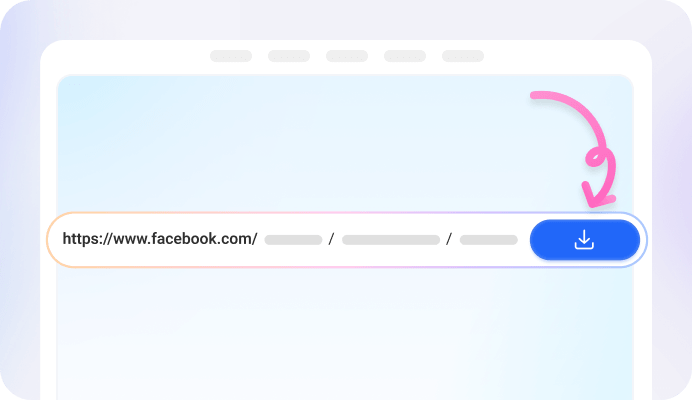
Step 2: Paste It into the FvidGo Input Box.
Paste the copied URL into FvidGo's input box to start the Facebook private video download online.

Step 3: Select the Resolution and Click Download
Select your preferred video quality (e.g., SD or HD) and click download to save it to your device.
Add FvidGo to Home Screen

FB Video Download Private: What Is a Facebook Private Video?
Facebook Video Download Private: Common Types of Private Videos
Posts Visible to Friends Only
Video Content within Private Groups
Facebook Private Stories Download
Facebook Reels Download Private: Live Replays and Reels with Custom Privacy Settings
Why Standard Downloader Facebook Private Video Tools Don’t Work
Data Encryption Mechanism
Tokens and Authentication
What to Do If Private Video Downloader for Facebook Fails
Download Private Facebook Videos Mobile – App Advantages
FB Private Video Downloader: Higher Download Success Rate
FB Private Video Download in Batches Is More Convenient
Browse and Download Facebook Videos within the App
FAQ
Is it possible to use extensions to save private Facebook videos?
Yes, you can use browser extensions to download private videos, but they come with limitations. For example, most extensions only work on desktop browsers, and popular browsers like Chrome do not support extensions on mobile devices. In comparison, web tools and apps provide a more flexible and accessible solution.
Download private Facebook videos without watermarks?
Facebook does not apply mandatory watermarks to its videos. With tools like FvidGo, every Facebook private video download without watermark keeps the file exactly the same as the original, with no added branding, ensuring a clean viewing experience.
How do I download videos from private groups?
Downloading videos from private groups follows the same process as downloading any private Facebook video. As long as you are a member of the group and have permission to view the content, you can use the same method to download it.
What formats are supported for downloading private videos?
Most tools support downloading videos in MP4 format, which is widely compatible across devices. Additionally, some tools allow you to extract audio in MP3 format if you only need the sound.
What devices is FvidGo compatible with?
FvidGo works across all major platforms, including smartphones, tablets, and desktops. Easily download private Facebook video Android, iPhone, Windows, and Mac without compatibility issues.
Can FvidGo download HD private videos?
Yes, FvidGo supports downloading videos in multiple resolutions, including SD and HD. You can choose the quality based on your needs, balancing file size and video clarity.