Facebook Photo Download Made Easy
- No Ads
- 100% Free & Safe
- 1080p


Facebook photo saver: cover photos, profile pictures and whole albums, all in original resolution.
How to Download Facebook Photo Easily

Step 1: Copy the Photo Link
Open the Facebook image you want to download, confirm you have viewing access, then copy the photo URL directly from your browser’s address bar.
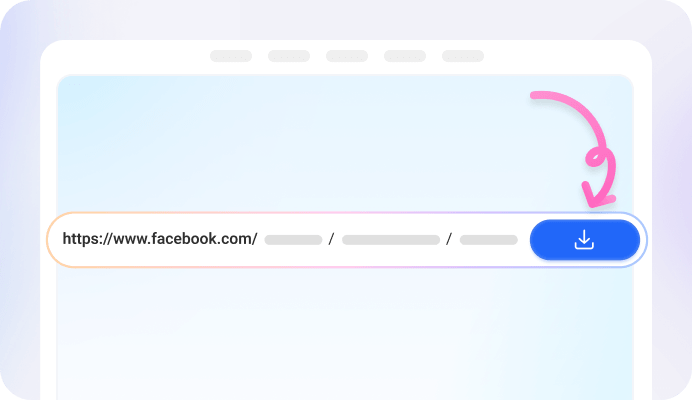
Step 2: Paste It Into the FvidGo Input Box.
Paste the copied photo link into the FvidGo input field, allowing the tool to analyze and prepare the image for downloading.

Step 3: Download the Photo
Once the image is processed, click the download button to save the photo instantly in high resolution on your device for offline access.
Add FvidGo to Home Screen

Why Choose FvidGo to Download All Facebook Photo
Download HD Facebook Photos
Download Private Images
Batch Downloading
No Login Required
Compatible With All Devices
Free & Secure
What Types Can You Download Facebook Photo Online with FvidGo?
Facebook Profile Pictures
Facebook Download Cover Photo
Private Group Photos
Facebook Albums
Uses of Downloaded HD Images via Facebook Photo Save
HD Wallpapers
HD Photos of Favorite Celebrities
Memes and Reaction Images
Precious Old Photos of Family/Friends
Commercial Assets
FAQ
What format are the saved images in?
All images downloaded through FvidGo use high-quality JPG format, making it easy for Facebook HD photo download while keeping sharpness, clarity, and original details.
Is there a limit to batch downloading albums?
No, there are no limits when it comes to batch downloading. You can download as many photos or albums as needed without restrictions, making it ideal for large collections.
Will the other person know I downloaded their photos?
No, downloading photos using FvidGo is completely private. Facebook does not notify users when someone downloads their images, ensuring full anonymity during the process.
Can the Facebook app download photos directly?
Yes, Facebook allows you to download photos individually through its app. However, it does not support batch downloads, and it cannot download images with restricted privacy settings.